
AI Workflow Discovery Template
Capture the operating reality before designing the automation
Use this worksheet Complete, copy or print
Workflow Discovery Worksheet
Record your answers below. Draft recovery uses this browser on this device. Clear it when you finish, especially on a shared device.
Use this template to turn a loosely described process into an implementation-ready workflow map. The goal is to document what happens today, where judgment enters, what systems are touched, and where an AI-enabled workflow could safely help.
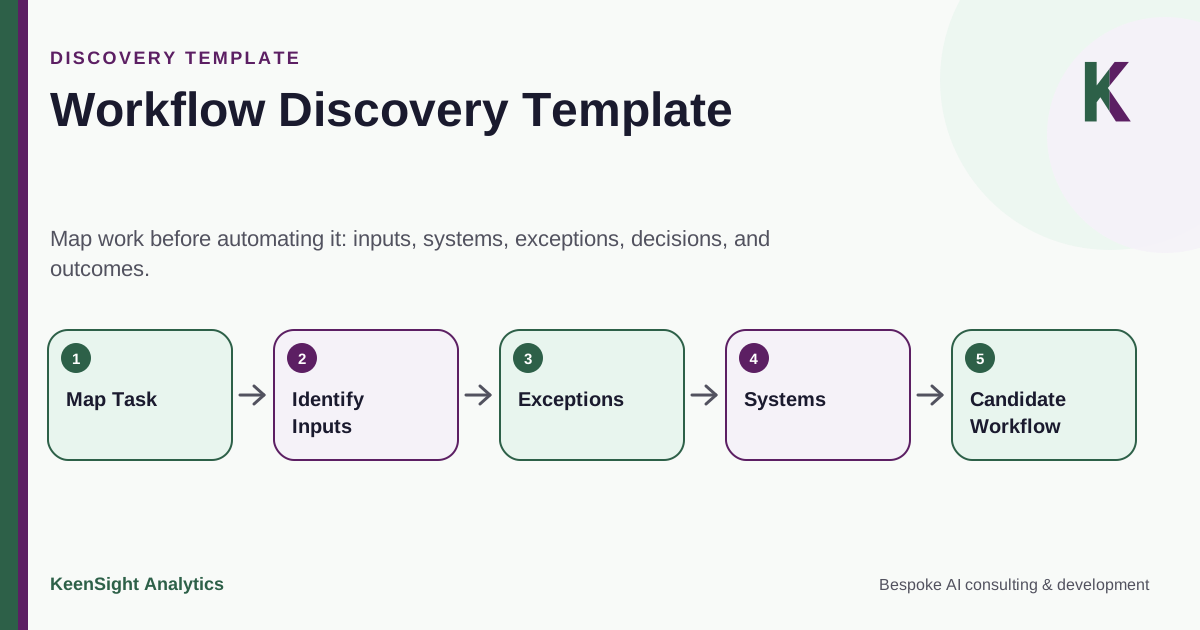
Workflow Discovery Template
Map work before automating it: inputs, systems, exceptions, decisions, and outcomes.
- Map Task
- Identify Inputs
- Exceptions
- Systems
- Candidate Workflow
Discovery Worksheet
Workflow name and objective
Workflow: What is the process called internally?
Business objective: What outcome is the workflow meant to produce?
Owner: Who is accountable for the process and its rules?
Trigger and volume
What starts the workflow? Record the approximate volume, frequency, seasonality, and whether work arrives in batches or continuously.
Inputs
List documents, emails, forms, database records, customer messages, events, and reference data. Note which inputs are structured, unstructured, missing, duplicated, or sensitive.
Current steps
Write each major step in order. For every step, record who performs it, which system is used, what information is required, and what output is produced.
Decisions and rules
Identify business rules, thresholds, approval requirements, lookups, classification decisions, and judgment calls. Separate explicit policy from individual habit.
Exceptions
List the cases that do not follow the normal path. Include missing information, conflicting data, low confidence, special customers, policy exceptions, failed integrations, and cases requiring escalation.
Systems and permissions
Record every system the workflow reads from or writes to. For each one, identify available APIs or integration methods, required credentials, allowed actions, and security constraints.
Controls
Document required approvals, separation of duties, audit logging, access restrictions, retention rules, review checkpoints, and any action that must remain human-owned.
Success measures
Define what should improve and how it can be observed. Useful measures may include queue time, manual touches, exception rate, completion rate, rework, response consistency, or reviewer effort. Use your own baseline rather than assuming a vendor benchmark.
Use the completed workflow map to turn workflow findings into an investment roadmap, including the preparation each initiative needs.
Use this template in a working session
Complete this worksheet for one workflow, using actual examples that you are permitted to share. Have the process owner and an experienced operator walk through a normal case, a difficult case, and a failed case. Record what happens in practice, including spreadsheets, messages, manual corrections, and work performed outside the main application.
The output should let another person explain how work enters, how it moves, what decisions change its path, and how completion is verified. It should also reveal which parts depend on explicit rules and which require interpretation. Do not choose an agent framework during the mapping exercise; preserve the information needed to make that choice afterwards.
Worksheet 1: define the boundary
Scroll horizontally to see all columns.
| Field | Prompt |
|---|---|
| Workflow name | What specific process are we describing? |
| Business owner | Who can decide the intended outcome and resolve rule conflicts? |
| Users and affected people | Who performs the work and who receives its result? |
| Trigger | Which event creates a new case? |
| Completion | What observable record or outcome proves the case is finished? |
| Volume and timing | What are typical arrivals, busy periods, deadlines, and queue limits? |
| First-release boundary | Which case types belong in the initial implementation? |
| Exclusions | Which cases stay with the current process? |
Be precise about completion. A generated answer, a saved draft, and an accepted update in a system of record are different outcomes. If the workflow must create a record, identify the record and the confirmation that proves it exists. If a human makes the final decision, identify where the decision is recorded and what the automation does next.
Worksheet 2: trace each step
Copy one row per step into your own working document. Keep the current process and the proposed change in separate columns so an assumption about automation does not overwrite the operating reality.
Scroll horizontally to see all columns.
| Step | Actor and system | Input and source | Decision or action | Output and next owner |
|---|---|---|---|---|
| Intake | Who receives the case, and where? | What arrived, and from whom? | How is scope determined? | Where is the case recorded? |
| Evidence | Who looks up information? | Which source is authoritative? | How are conflicting facts resolved? | What evidence is retained? |
| Decision | Who interprets policy? | Which facts and rules matter? | What can be decided automatically? | Who approves exceptions? |
| Execution | Which identity makes the change? | What validated payload is used? | Which operation is permitted? | How is success confirmed? |
| Completion | Who closes or follows up? | Which outcome is visible? | Is another action needed? | What becomes the final record? |
For each row, note elapsed time, active effort, and waiting time separately. An automation that makes one step faster may leave the overall queue unchanged if approval is the bottleneck. Record repeated lookups and copy-paste work, but also capture the checks those manual steps currently provide. The future design needs to preserve necessary checks even when the manual task disappears.
Worksheet 3: make exceptions explicit
Scroll horizontally to see all columns.
| Exception | How it is detected | Required response | Owner and evidence |
|---|---|---|---|
| Missing information | Name the absent field or source | Request information or stop | Who follows up, and what closes the gap? |
| Conflicting evidence | Identify the records that disagree | Apply a rule or escalate | Who resolves the conflict? |
| Duplicate request | Match the stable business identifier | Reuse the result or investigate | Where is prior completion recorded? |
| Dependency failure | Specify timeout or error condition | Retry, defer, or route manually | Who restores the dependency? |
| Authority exception | Identify the policy boundary | Prevent the action pending review | Who may approve this specific action? |
Avoid a single “other” queue without ownership. Each exception needs enough context for the next person to act. Record the original request, relevant evidence, attempted steps, current state, and what decision is needed. If the current process cannot explain what should happen, flag a business-rule decision rather than asking the model to invent one.
Worksheet 4: access and information handling
List each repository and application the workflow touches. Record the source owner, allowed readers, permitted writes, integration method, and any restriction on processing or storage. Include attachments, copied excerpts, diagnostic logs, review screens, and backups. Information can move beyond its original repository during an otherwise ordinary workflow.
For every proposed write, identify the acting identity and the object it may change. A broad administrator credential is not an implementation requirement merely because someone used it in a prototype. Record the narrow access the workflow needs and the owner who can approve or provision it. The Enterprise AI Integration Checklist supports that follow-up.
Worksheet 5: acceptance and value
Define examples of correct work, incomplete work, incorrect work, and appropriate escalation. Identify the evidence a reviewer needs to judge each. Record the expected quality, response time, manual effort, and completion behavior before choosing numerical release criteria. Those criteria should reflect the actual consequences and operating conditions of the workflow.
A useful measurement record includes the metric definition, baseline source, sampling window, case mix, and accountable owner. Measure total effort across the workflow, including review and rework. If the intended benefit is growth or additional capacity, identify what business activity will use the released capacity and how that result will be observed.
Worked example: a request that cannot be completed
In an illustrative supplier-information workflow, an incoming request contains an account name but no reliable identifier. The current operator searches several systems and sometimes picks the wrong record. Discovery should capture that ambiguity as a required identity-resolution step. The first AI release could prepare likely matches and evidence, while a reviewer selects the correct account.
The acceptance set should contain same-name accounts and a no-match case. Completion requires a verified account reference, not simply a fluent summary. This small discovery finding changes the architecture, the review interface, and the measurement plan. It is more useful than declaring the workflow suitable because its inputs contain natural language.
Turn discovery into an implementation brief
Finish with the included cases, systems, authority, evaluation examples, unresolved decisions, and next owner. Use the readiness checklist to identify blocking gaps and the architecture decision guide to compare the application patterns. An AI Workflow Blueprint can turn this record into a delivery scope.
If the workflow and desired outcome are already defined, discuss an AI project using this completed brief. The value of discovery is a shared, testable description of the work and a concrete next decision.
What You Should Have After Discovery
A Process Map
A shared view of triggers, steps, decisions, systems, owners, and outputs.
An Exception Inventory
A practical list of cases that need fallback behavior, additional data, or human review.
An Integration Inventory
The applications, interfaces, permissions, and dependencies the solution must work with.
A Control Model
Clear boundaries for what can be automated, what needs approval, and what must be logged.
Acceptance Criteria
Testable definitions of correct behavior, safe failure, and appropriate escalation.
A Phased Scope
A realistic first release that can be tested before expanding authority or workflow coverage.
Turn the Worksheet Into a Solution Design
KeenSight can use the completed discovery template to frame architecture, integrations, controls, evaluation, and rollout scope.
Continue with practical guidance
- Agentic AI for Operations: Automating Complex Back-Office Workflows
Design agentic back-office workflows with case state, exception handling, bounded actions, recovery, and measures of throughput, quality, and customer experience.
- AI for Sales Ops and RevOps: Account Intelligence, Pipeline, and Next-Best Action
Connect AI account intelligence, CRM updates, next actions, and renewal preparation to measured sales conversion, retention, and operating capacity.
- How to Estimate AI Automation ROI Without Relying on Vendor Benchmarks
A research-led framework for AI automation ROI using empirical productivity studies, workflow baselines, task-level effects, review and exception costs, capacity value, quality, operating cost, risk, and pilot evidence.